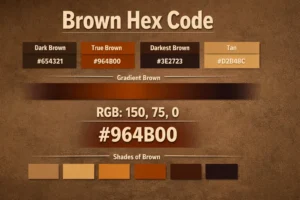
Basic Colors Hex Codes
Basic colors hex codes like red, blue, black, white, green, and yellow are widely used in web design, branding, and UI components. Below you can generate and copy basic HTML color codes instantly.
Popular Basic Colors Hex Codes
Basic Colors Hex Codes
Basic color hex codes represent the most fundamental colors used in digital design. These colors form the foundation of nearly every color palette, interface, and visual system on the web. Understanding basic color values helps designers and developers work faster and maintain consistency across projects.
This guide covers basic color hex codes, explains how these colors are defined in digital systems, and provides a clear reference table for the most commonly used colors.

What Are Basic Colors?
Basic colors typically include primary colors, secondary colors, and essential neutral tones. These colors are considered “basic” because they are widely recognized, universally supported, and frequently used as building blocks for more complex color palettes.
In web and digital design, basic colors are represented using hex codes, which ensure consistent color display across devices and platforms.
Basic Colors Hex Code Table
Common Basic Colors Reference
| Color Name | HEX Code | RGB Value |
|---|---|---|
| Red | #FF0000 | rgb(255, 0, 0) |
| Green | #008000 | rgb(0, 128, 0) |
| Blue | #0000FF | rgb(0, 0, 255) |
| Yellow | #FFFF00 | rgb(255, 255, 0) |
| Black | #000000 | rgb(0, 0, 0) |
| White | #FFFFFF | rgb(255, 255, 255) |
| Gray | #808080 | rgb(128, 128, 128) |
| Orange | #FFA500 | rgb(255, 165, 0) |
| Purple | #800080 | rgb(128, 0, 128) |
| Pink | #FFC0CB | rgb(255, 192, 203) |
These basic color hex codes are universally supported and serve as the starting point for building color systems, themes, and visual identities.
Why Basic Colors Hex Codes Matter
Basic colors help establish clarity and consistency in design. Because users instantly recognize these colors, they are often used for navigation, alerts, actions, and status indicators. Using standard hex values ensures predictable results across browsers and devices.
Many advanced color palettes are created by modifying these basic colors through adjustments in brightness, saturation, or contrast.
Basic Colors in Modern Design
In modern design, basic colors are rarely used alone. Designers often combine them with softer tones, gradients, or neutral shades to create balance. However, basic colors remain essential for accessibility, readability, and visual hierarchy.
- Web design uses basic colors for clarity and structure
- UI design uses basic colors for actions and states
- Branding uses basic colors for recognition
- Educational content uses basic colors for simplicity
How to Use Basic Colors Effectively
Web and UI Design
Basic colors are ideal for buttons, alerts, and navigation elements. Pairing them with neutral backgrounds improves readability and accessibility.
Branding and Identity
Brands often build their identity around one or two basic colors, adjusting shades to create a cohesive palette.
Print and Visual Media
In print, basic colors provide strong contrast and clarity, especially for informational materials.
Learning and Educational Design
Basic colors are widely used in educational content because they are easy to recognize and remember.
Basic Colors and Accessibility
Because basic colors are highly saturated, contrast must be managed carefully. Proper text contrast and spacing ensure these colors remain readable and accessible for all users.
Frequently Asked Questions
What are basic color hex codes?
Basic color hex codes are hexadecimal values that represent commonly used and universally recognized colors in digital design.
What are the primary colors in hex?
The primary colors in hex are red (#FF0000), green (#008000), and blue (#0000FF).
Why are basic colors important in design?
Basic colors provide clarity, consistency, and strong visual recognition, making them essential for design systems.
Can basic colors be modified?
Yes, designers often create lighter or darker shades of basic colors to build complete color palettes.
Are basic colors suitable for websites?
Yes, basic colors are commonly used on websites, especially for navigation, buttons, and alerts.
Do basic color hex codes work on all devices?
Yes, basic color hex codes are universally supported across browsers, devices, and platforms.
Latest from the Blog
Tips, guides and tutorials to help you get the most out of our tools