CSS Gradient Generator
Create linear & radial gradients
CSS Color Gradient Generator : Enhance Your Designs
Color gradients are an essential element in modern design, transforming flat visuals into attractive and engaging graphics. A color gradient generator is a tool that allows designers and developers to create beautiful gradients effortlessly. These generators have applications across various fields, including web design, graphic design, and user interface (UI) design.
Understanding Color Gradients
Color gradients blend one color into another, creating a smooth transition that can enhance visual appeal. This technique is important in web design and UI/UX, where aesthetic considerations significantly affect user engagement. Knowing how gradients work fundamentally allows designers to manipulate color theory to communicate effectively with users.
What Are Color Gradients?
A color gradient is a range of colors that transition from one hue to another. In the context of CSS (Cascading Style Sheets), gradients can be linear, radial, or angular, which dictate how colors blend based on their positions. Understanding how to use these gradients elevates standard designs into professional quality.
How to Use the CSS Color Gradient Generator : Step-by-Step Guide
Using a color gradient generator is a straightforward process. Here’s a detailed guide:
- Access the Tool: Start by visiting the gradient generator tool at OmniTools.
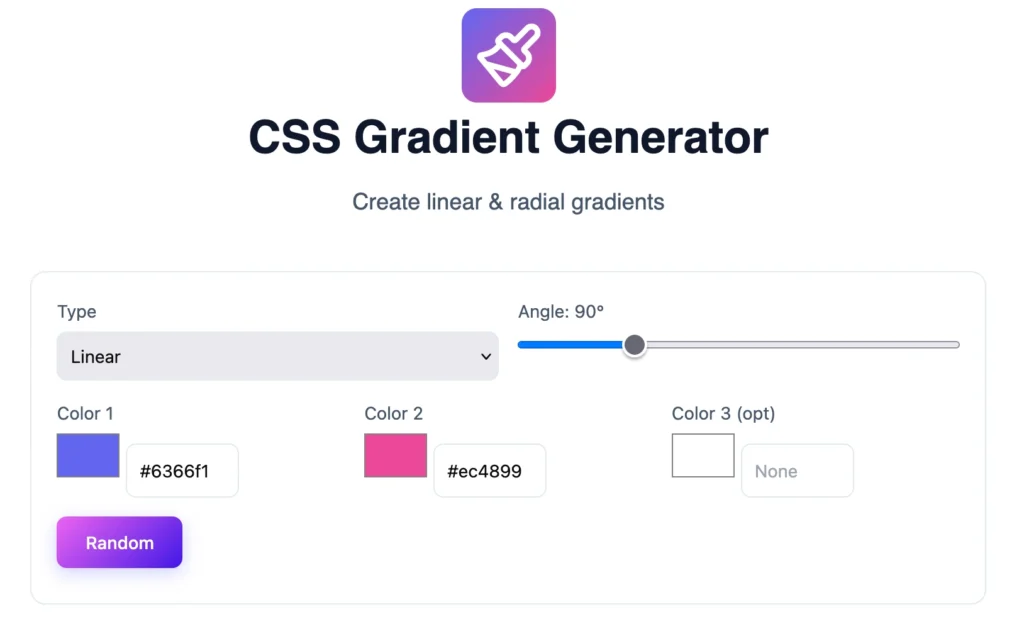
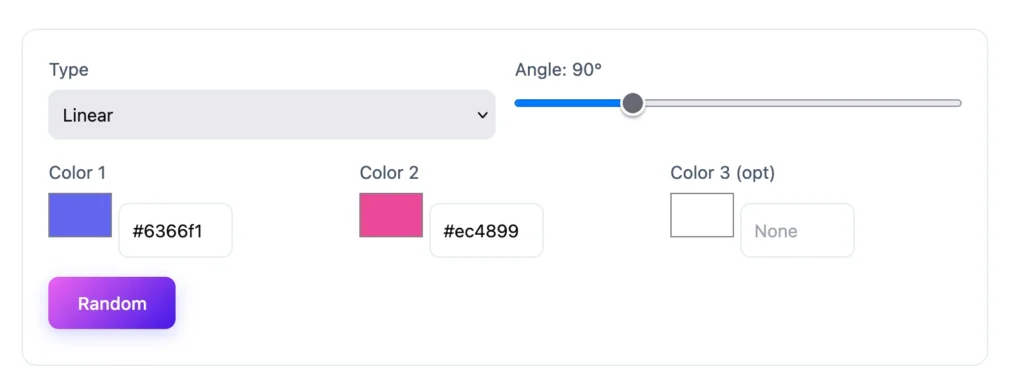
- Select Gradient Type: Choose between linear, radial, or angular gradients based on your design needs.

- Choose Colors: Click on the color stops to select colors. You can adjust these stops to achieve the desired color blend.
- Adjust Angle & Stops: For linear gradients, set the angle. For radial gradients, adjust the focal point and size of stops.
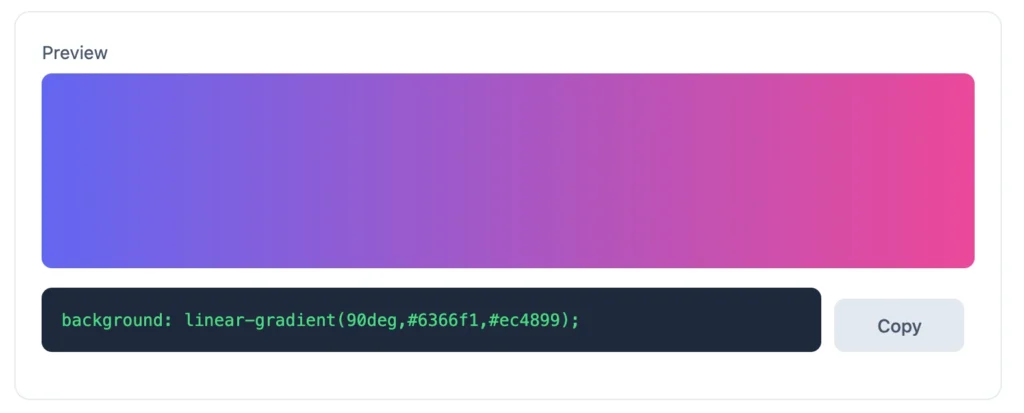
- View Changes in Real-Time: Utilize the live preview feature to see how your gradient appears, modifying settings as needed.
- Export the Code: Once satisfied, copy the generated CSS code provided by the tool. This code can then be pasted into your project directly.
- Use Gradient Presets: Use this CSS gradient maker online tool to select gradient presets to auto generate the CSS code.

Tips:
- Keep contrast in mind for readability.
- Experiment with various color combinations until you achieve a visually pleasing effect.
The Features of a Good CSS Color Gradient Generator
A quality CSS gradient generator provides several features that enhance user experience:
- User Interface Design: A clean, intuitive interface that simplifies the gradient creation process.
- Customization Options: Allow adjustments to type, angle, color stops, and even random gradient generation.
- Export Options: The ability to export generated CSS code easily ensures users can implement gradients directly into their projects.
Top Color Gradient Generators
Several popular color gradient generators stand out in the digital space. Tools like OmniTools Color Gradient Generator offer an array of features such as a user-friendly interface, customization options, and straightforward export solutions. Here’s a comparison of top tools:
- OmniTools Gradient Generator: Excellent customization, solid user interface, strong export options.
- Coolors: Great for rapid palette generation alongside gradients.
- CSS Gradient: Simple interface with high-quality gradient outputs.
Practical Uses and Applications
Color gradients have a wide range of applications. In web design, they can enhance backgrounds, buttons, and text highlights. For graphic design, gradients add depth to illustrations, logos, and branding materials. Consider:
- Using gradients in social media graphics to catch the viewer’s eye.
- In marketing materials, carefully chosen gradients can instill emotions and drive engagement.
When selecting gradients for branding, it’s crucial to consider the psychological impact colors have on viewers. Colors evoke feelings; for instance, blue evokes trust, while orange can enhance friendliness.
Troubleshooting Common Issues
Frequently Asked Questions About Color Gradient Generator
What is a color gradient generator?
A color gradient generator is a web-based tool that allows users to create gradient color schemes for use in design projects.
How do you use a color gradient generator?
Access a gradient generator, select your colors, adjust settings like angle or type, and export your CSS code to use in your designs.
How to create a color gradient for free?
Many online tools, like OmniTools, offer free gradient creation without needing software installations.
Can gradients be used in branding?
Absolutely! Gradients can help brands convey emotions and values through color schemes.
How important is color contrast in gradients?
Color contrast is vital for accessibility and readability; ensuring that gradient contrast ratios meet standards is essential for user experiences.
Can I animate gradients on my website?
Yes, CSS animations can transition gradient colors smoothly, enhancing aesthetic appeal on websites.
Conclusion
In recent years, the rise of color gradients has become a hallmark of modern design trends. Understanding how to create and implement gradients using a color gradient generator can take your designs to the next level. These tools not only save time but also encourage creativity by providing options to experiment with color.
Don’t hesitate to explore your creativity; try the gradient generator on OmniTools today. You might even discover the next hot trend in your design work!
You may also like
Latest from the Blog
Tips, guides and tutorials to help you get the most out of our tools