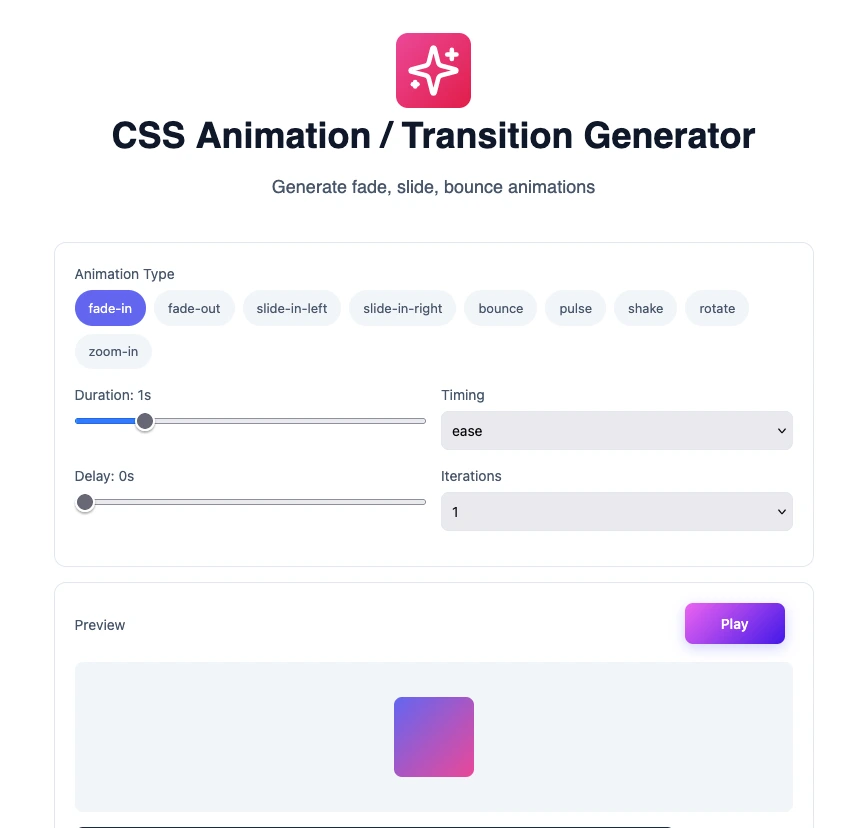
CSS Animation / Transition Generator
Generate fade, slide, bounce animations
CSS Animation Generator
Comprehensive CSS Transition Guide to for Professionals
In the realm of web development, user experience (UX) is a crucial factor that significantly influences how visitors interact with a website. One essential component of enhancing UX in modern web design is CSS transitions. By providing smooth and visually appealing changes, transitions can make interfaces more dynamic and engaging. This comprehensive guide will delve into what CSS transitions are, how to use them effectively, and best practices to ensure optimal performance.
What Are CSS Transitions?
CSS transitions allow the gradual change of CSS properties from one state to another over a specified duration. This feature enables designers to create engaging visual effects without the need for complex JavaScript animations. CSS transitions are especially valuable in modern web design, where they can enhance interactivity and improve the overall user experience.
By adding transitions to elements when they change state (e.g., when a user hovers over a button), developers create a sense of motion that visually indicates these changes. This can help users intuitively understand how to interact with the interface, thereby increasing usability.
The Importance of CSS Transitions in Modern Web Design
- Enhanced User Experience: Transitions provide visual feedback, enhancing user engagement and satisfaction.
- Improved Aesthetics: A well-executed transition makes a site look more polished and professional.
- Interactivity: Transitions can make interactions feel smoother and more natural, leading to a better flow of actions.
- Accessibility: Thoughtful transitions can guide users by providing visual cues about changes.
Understanding the Transition Properties
CSS transitions involve several properties that you can manipulate to achieve the desired effect. Here’s a breakdown of the four main properties:
1. transition-property
This property specifies the CSS property or properties to which the transition should apply. You can set multiple properties by separating them with commas. Example values include:
- all: Applies to all properties.
- color: Applies only to color transitions.
- opacity: Applies only to opacity changes.
2. transition-duration
This property defines the time duration over which the transition occurs. The value can be specified in seconds (s) or milliseconds (ms). For example:
- 1s: One second duration.
- 500ms: Five hundred milliseconds.
3. transition-timing-function
This property describes how the intermediate property values are calculated during a transition. Some common timing functions include:
- ease: Starts slow, speeds up, and ends slowly.
- linear: A constant speed throughout the transition.
- ease-in: Starts slow and speeds up (acceleration).
- ease-out: Starts fast and ends slowly (deceleration).
- cubic-bezier(): Custom timing functions can be defined with cubic Bezier curves.
4. transition-delay
This property specifies a delay before the transition starts. This can be useful for creating timed sequences or delaying a transition until certain conditions are met. Example values include:
- 0s: No delay.
- 1s: One second delay before the transition begins.
CSS Transition Syntax and Examples
The basic syntax for implementing CSS transitions is quite straightforward. Here’s a generic example:
selector {
   transition:    ;
}
Basic Example
Consider the following code snippet where a div changes its background color on hover:
.my-element {
    background-color: blue;
    transition: background-color 0.5s ease;
}

.my-element:hover {
    background-color: green;
}
This code causes the background color of `.my-element` to transition from blue to green over half a second when hovered over.
Advanced Use Case
In more complex scenarios, you might want to transition multiple properties simultaneously. Here’s how:
.box {
    width: 100px;
    height: 100px;
    background-color: red;
    transition: width 2s, height 2s, background-color 2s;
}

.box:hover {
    width: 200px;
    height: 200px;
    background-color: yellow;
}
In this example, the width, height, and background color of `.box` will transition smoothly over two seconds.
Best Practices for Implementing CSS Transitions
While CSS transitions can significantly enhance user experience, there are best practices to follow to ensure you use them effectively:
1. Keep Transitions Subtle
Excessive or overly complex transitions can overwhelm users. Aim for subtle effects that enhance without being distracting.
2. Timing Functions
Choosing the right timing function is essential. For instance, using ease-in-out can help to create smoother animations, making transitions feel more natural.
3. Performance Tips
- Limit the properties you animate; not all properties can be easily transitioned and some can cause performance issues.
- Use transform and opacity wherever possible, as these are optimized for performance on many browsers.
4. Accessibility Considerations
Always consider users who may have preferences for reduced motion due to motion sickness or other sensitivities. Utilize media queries to disable transitions for these users:
@media (prefers-reduced-motion: reduce) {
    .my-element {
        transition: none;
    }
}
Performance Considerations
CSS transitions are generally lightweight, but they can still impact page performance if not used judiciously. Here are key points to consider:
Impact on Performance and Rendering
Every transition adds a slight overhead to rendering. Complex transitions can lead to jank and slow rendering, especially on lower-end devices or when multiple transitions occur simultaneously.
Testing Performance
Use tools such as Google PageSpeed Insights or browser developer tools to analyze the impact of CSS transitions on performance. Monitoring frame rates can help ensure animations run smoothly.
Best Practices to Mitigate Negative Effects
- Animate only properties that do not trigger layout changes, such as transform or opacity.
- Consider the performance implications of animations on mobile devices; keeping animations short can alleviate potential issues.
Browser Compatibility and Vendor Prefixes
While most modern browsers support CSS transitions, it is essential to consider compatibility aspects for different browsers. Vendor prefixes might be necessary for broader support.
Overview of Browser Support
As of now, all major browsers including Chrome, Firefox, Safari, and Edge offer comprehensive support for CSS transitions. However, older versions of some browsers might not support them.
Using Vendor Prefixes
In situations where compatibility issues arise, you may need to include vendor prefixes:
-webkit-transition: background-color 1s ease-in-out;
-moz-transition: background-color 1s ease-in-out;
-o-transition: background-color 1s ease-in-out;
transition: background-color 1s ease-in-out;
Resources for Checking Compatibility
For real-time compatibility checks, consider using resources such as Can I Use. This site offers comprehensive data on feature support across different browsers.
Real-World Applications and Case Studies
CSS transitions are widely utilized across various web applications and websites to improve user experiences. Here are a few notable examples:
Industry Examples
- Buttons: E-commerce sites often use CSS transitions to enhance button interactions, making them more appealing.
- Dropdown Menus: Smooth transitions in dropdown menus improve usability and accessibility.
- Image Galleries: The transition effects in image galleries can mesmerize users, allowing for a more immersive experience.
User Feedback and Interaction Improvements
In many cases, companies report increased user satisfaction and engagement when incorporating CSS transitions thoughtfully. Incorporating hover states and transitions can lead to higher click-through rates and improved interaction feedback.
How to Use CSS Transitions with Omnitools
Using the Online Tool for CSS Transitions on Omnitools
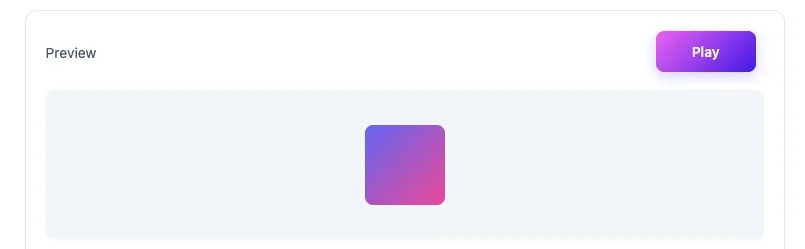
To improve your web design projects with CSS transitions, one great way is to utilize the Omnitools website. This online tool allows you to easily explore and generate CSS transition code snippets. Below are step-by-step instructions:
- Visit: Navigate to Omnitools.
- Choose the CSS Tool: Look for the CSS transition generation tool on the homepage.

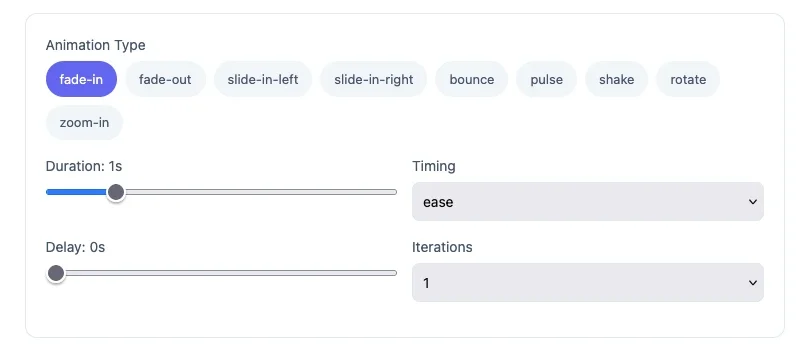
- Select Your Transition Type: Select your animation type, based on your requirement.
(Fade In, Fade Out, Slide In Left, Slide in Right, Bounce, Pulse, Shake, Rotate, Zoom-in etc.) - Preview Transition: Click the Play button to Preview your transition..
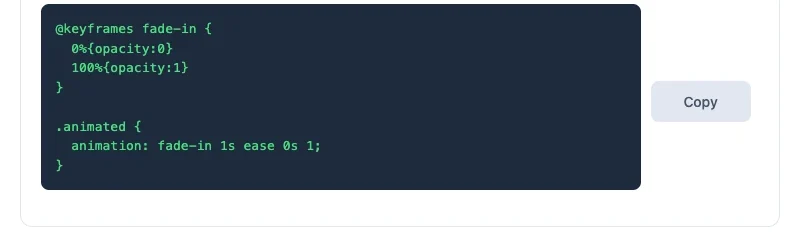
- Copy the Code: Copy the generated CSS code and incorporate it into your project’s stylesheet.
FAQ
What are CSS transitions?
CSS transitions enable a gradual change of CSS properties from one state to another, enhancing user experience by adding visually smooth effects.
How do I apply CSS transitions to multiple properties?
You can specify multiple properties in the transition shorthand property by separating them with commas. For example: transition: width 2s, height 2s;
Are CSS transitions performance-intensive?
CSS transitions can impact performance if not used correctly, particularly if they involve properties that induce layout changes. It’s best to use properties like opacity and transform.
What browsers support CSS transitions?
Most modern browsers, including Chrome, Firefox, Safari, and Edge fully support CSS transitions. However, checking compatibility is wise for older browsers.
How can I disable transitions for users with motion sensitivity?
You can disable transitions by using the prefers-reduced-motion media query to respect users’ settings for reduced motion.
Where can I find more information on CSS transitions?
For a detailed explanation, consider visiting authoritative resources such as MDN Web Docs.
Conclusion
CSS transitions are a powerful tool that can significantly improve the user experience of websites. By allowing visual changes to occur smoothly, they enhance interactions and make web applications feel more responsive and intuitive. This comprehensive guide has covered the essential aspects of CSS transitions, from properties to best practices, ensuring you can implement them effectively. Remember, the key is to use transitions judiciously and test their impact on performance to maintain an optimal user experience. Explore further with tools like Omnitools to unlock the full potential of your CSS transitions.
You may also like
Latest from the Blog
Tips, guides and tutorials to help you get the most out of our tools