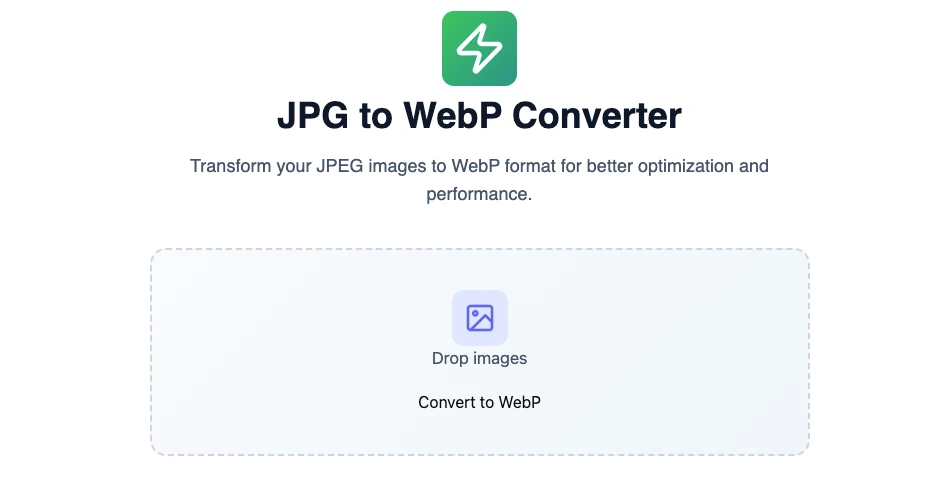
JPG to WebP Converter
Transform your JPEG images to WebP format for better optimization and performance.
Drop images
Convert to WebPJPEG to WebP Conversion: A Comprehensive Guide
In the ever-changing digital landscape, optimizing images for web performance is crucial. Two popular image formats are JPEG (Joint Photographic Experts Group) and WebP, a relatively modern format developed by Google. This guide delves into the transformation from JPEG to WebP.
Understanding the intricacies of these formats, the benefits of WebP, and the conversion process can greatly improve website performance and user experience. This guide not only serves as a practical resource for image conversion but also highlights the necessity of adopting new technology for better results.
Benefits of Using WebP
WebP offers several advantages over JPEG. Let’s explore these benefits in detail:
1. File Size and Quality Comparison
One of the most significant advantages of the WebP format is its reduction in file size without sacrificing image quality. According to Google, WebP provides lossy compression that is about 25-34% smaller than comparable JPEG images, significantly reducing storage requirements and load times.
2. Transparency and Animation Support
Unlike JPEG, WebP supports transparency (also known as alpha channel), making it a versatile choice for graphics that require see-through backgrounds. Furthermore, WebP enables animation, allowing multiple images to be included in a single file without the baggage of large file sizes common with GIFs.
3. Performance Optimization
The impact of using WebP on website loading speeds is substantial. Faster load times enhance user experience, reduce bounce rates, and improve SEO rankings. Studies indicate that websites using WebP can see reduced loading times and better performance metrics.
Understanding JPEG Limitations
Before diving into conversion, it’s essential to recognize some notable limitations associated with JPEG images:
1. Lack of Features
JPEG lacks advanced features, such as support for transparency and animations, which are pivotal for modern web projects. This limitation restricts creative flexibility, especially for designers looking to create dynamic visuals.
2. Image Quality Issues
JPEG images are prone to compression artifacts, which can degrade quality, particularly after multiple saves. This issue can negatively affect branding and user perception.
3. File Size Constraints
As the demand for higher-resolution images increases, JPEG file sizes grow larger, resulting in slower load times and decreased performance efficiency. This situation can be particularly problematic for users on mobile devices or slow networks.
How to Convert JPEG to WebP
Step-by-Step Guide to Converting JPEG to WebP
Converting JPEG files to WebP can be seamlessly done using online tools, and one of the recommended solutions is available at OmniTools. Here’s how to use it:
- Visit https://omnitools.pw/. and locate the JPG to Webp online converter tool.

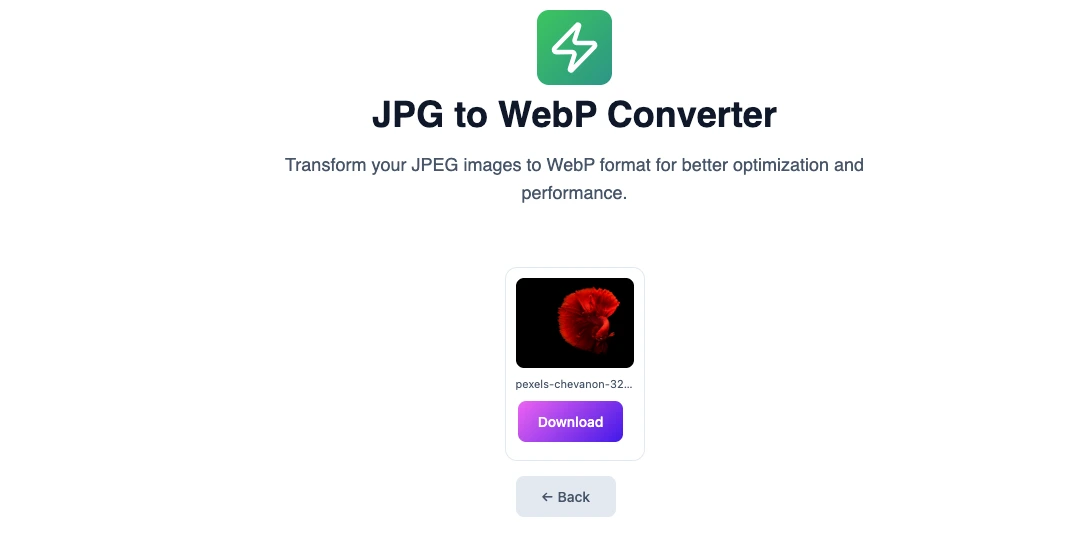
- Click on the “Upload File” button or drag and drop JPG image file that you wish to convert.
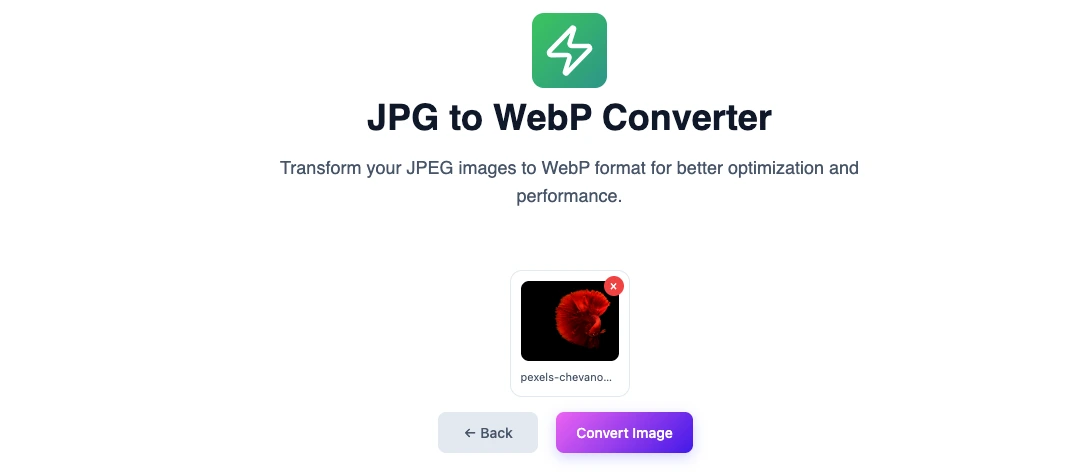
After your file is uploaded, click the “Convert Image” button to initiate the conversion process - Once the conversion is complete, download your new WebP image by clicking the download link.
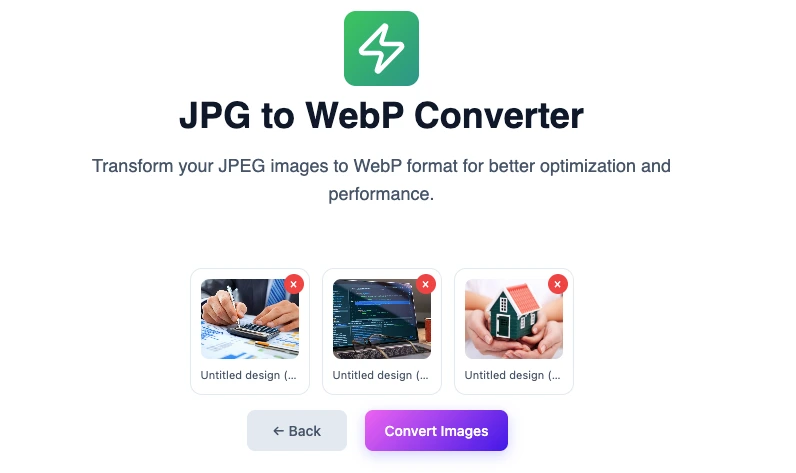
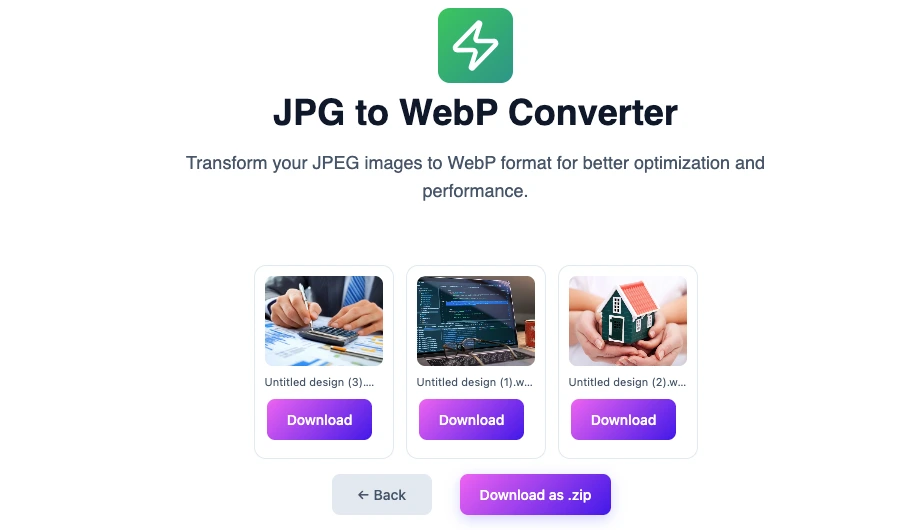
- Using omnitools JPG to Webp converter, multiple JPG images can also be converted together.
Select to upload or drag and drop multiple JPG images those you wish to convert to Webp format and click “Convert Images” button to start conversion. - Once the conversion is complete, download your new WebP images by either clicking the individual download link or download all converted images as a zip archive.
- Visit https://omnitools.pw/. and locate the JPG to Webp online converter tool.
Tools for Conversion
When it comes to converting JPEG images to WebP format, various tools are available ranging from online converters to software solutions. Below we review some of these tools:
1. Online Conversion Tools
- OmniTools: This is a straightforward online tool for converting JPEG to WebP, requiring no installation or technical know-how. Its user-friendly interface makes it accessible for all skill levels.
- CloudConvert: Another effective online converter that supports a myriad of file formats, including JPEG and WebP. It offers some level of customization for compression settings.
2. Desktop Applications
- Photoshop: With the help of a WebP extension, Photoshop can export images in WebP format, making it ideal for professionals already accustomed to this software.
- GIMP: An open-source application that supports WebP exports natively. GIMP is popular among designers and is cost-effective.
3. Command-Line Tools
For developers interested in automated solutions, the cwebp utility is a command-line tool offered by Google. This tool enables batch processing and provides extensive options for image optimization.
Best Practices for Using WebP
Here are some best practices to keep in mind when working with WebP:
1. When to Use WebP
- Use WebP images for the majority of web photos and graphics to leverage their quality and compression benefits.
- Consider WebP for backgrounds, icons, and any images where transparency or animation might enhance the design and functionality.
2. Integrating WebP into Web Projects
When you integrate WebP images into your website, be sure to include fallback options for older browsers that do not support WebP:
- Use the
<picture>element in HTML, allowing the browser to choose the appropriate format automatically. - Link JPEG images for fallback in the
<source>elements.
3. SEO Considerations
Image optimization plays a critical role in SEO. Websites with faster loading times can rank higher in search engine results. Using WebP images aligns with modern SEO practices by improving speed and user experience.
FAQ
What is WebP?
WebP is an image format developed by Google that provides lossless and lossy compression methods. It is designed to create smaller file sizes without compromising quality.
Can all browsers support WebP?
Most modern browsers support WebP, but some older versions may not. It’s advised to use fallback images in JPEG or PNG format for those situations.
How much can I reduce image size by converting to WebP?
Typically, WebP can reduce image file sizes by 25-34% compared to JPEG files while maintaining similar quality.
Is it possible to convert multiple JPEG files at once to WebP?
Yes, our tool at omnitools allow batch conversion of multiple JPEG files to WebP.
Are there any drawbacks to using WebP?
The main drawback of WebP is the limited support in some older browsers and applications. It’s essential to consider this when implementing WebP images.
How can I ensure that WebP images are SEO-friendly?
Optimize WebP images by keeping file sizes small, using descriptive file names, and applying alt text, just as you would with other image formats. This can enhance your SEO efforts.
Conclusion
In conclusion, converting JPEG images to WebP format offers distinct advantages in terms of file size, image quality, and overall web performance. By understanding the limitations of JPEG and the benefits of WebP, web professionals can make informed choices for their projects. Furthermore, utilizing online tools such as OmniTools for conversion simplifies the process, allowing designers and developers to enhance user experience seamlessly. Embracing the WebP format is a proactive strategy for optimizing images in a digital ecosystem that demands efficiency and performance.
You may also like
Latest from the Blog
Tips, guides and tutorials to help you get the most out of our tools