Orange Color Hex Code
Orange color hex codes represent energy, enthusiasm, creativity, and warmth. Orange is commonly used in call-to-action buttons, highlights, and vibrant branding elements in web design.
Popular Orange Color Hex Codes
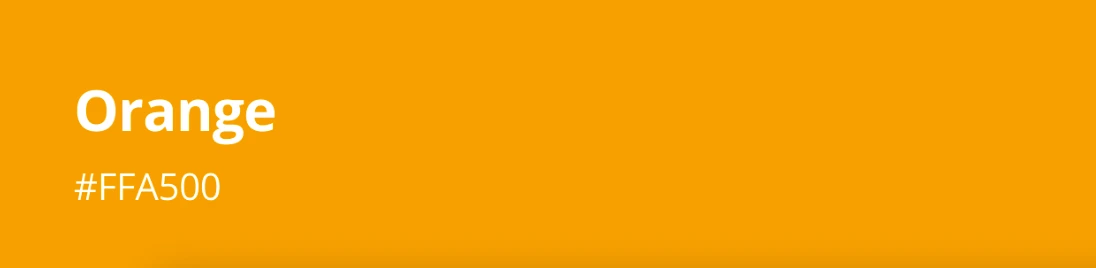
Orange Color HEX Code (#FFA500)
Orange is a color that naturally draws attention, yet it rarely feels aggressive. It sits comfortably between red and yellow on the color wheel, combining warmth with energy. Because of this balance, orange is widely used in design, branding, safety visuals, and everyday products.
This page covers the orange color hex code, its background, psychological meaning, related shades, color combinations, and how orange is used effectively in modern design.
What Is Orange Color?
Orange is a secondary color created by mixing red and yellow. It is commonly associated with warmth, enthusiasm, creativity, and visibility. In nature, orange appears in fruits, sunsets, autumn leaves, and minerals, which makes it feel familiar and energetic at the same time.
In digital design systems, the most widely recognized standard orange is represented by the following values:
- HEX: #FFA500
- RGB: rgb(255, 165, 0)
This version of orange is often used as a reference point in web design, UI elements, and brand guidelines.
Orange Color Code Values
Orange Color Conversion Table
| Color Model | Value |
|---|---|
| HEX | #FFA500 |
| RGB | rgb(255, 165, 0) |
| CMYK | 0%, 35%, 100%, 0% |
| HSL | 39°, 100%, 50% |
| HSV | 39°, 100%, 100% |
| Pantone (Approx.) | Pantone 151 C |
These values align with commonly used digital, print, and professional color standards.
History of Orange Color
The color orange was named after the orange fruit, rather than the other way around. Before the word “orange” entered the English language, the color was often described as a shade of red or yellow. As trade expanded and the fruit became more common in Europe, the color gained its own identity. Over time, orange became associated with vitality, warmth, and visibility, making it useful both symbolically and practically.
Meaning and Psychology of Orange
Orange combines the energy of red with the optimism of yellow. It is often perceived as friendly, stimulating, and encouraging. Unlike red, orange feels less intense, which makes it more approachable.
- Represents enthusiasm and creativity
- Encourages warmth and friendliness
- Improves visibility and attention
- Feels energetic without being aggressive
Because of these traits, orange is frequently used in call-to-action elements, sports branding, and safety-related designs.
Related Colors to Orange
Orange appears in many variations depending on brightness and undertone. Some shades feel bold and energetic, while others appear soft and earthy.
- Burnt Orange
- Amber
- Coral
- Peach
- Tangerine
- Rust
Orange in Modern Design
In modern design, orange is often used to highlight important elements. It works well for buttons, icons, warnings, and promotional content. When balanced with neutral colors, orange adds energy without overwhelming the layout.
- Web design uses orange for call-to-action buttons
- Branding uses orange to appear energetic and friendly
- Safety design uses orange for high visibility
- Interior design uses orange as an accent color
How to Use Orange Color Effectively
Web and UI Design
Orange is ideal for interactive elements such as buttons and alerts. It naturally draws attention while remaining readable when paired with dark text.
Branding and Marketing
Brands use orange to express confidence, creativity, and enthusiasm. It is common among startups, sports brands, and entertainment platforms.
Print and Visual Media
In print, orange stands out strongly and works well for signage and promotional material. It should be used with adequate spacing to avoid visual fatigue.
Interior and Product Design
Orange adds warmth and energy to spaces when used as an accent. Muted orange tones are especially effective for balanced interiors.
Orange Color in Accessibility and Readability
Orange provides strong contrast against dark or neutral backgrounds. For accessibility, darker orange shades usually work better with white text, while lighter oranges pair better with dark text.
Frequently Asked Questions
What color is this orange hex code?
The orange hex code #FFA500 represents a bright, standard orange commonly used in web and digital design.
What does the color orange mean?
Orange represents energy, enthusiasm, creativity, and warmth. It is often associated with friendliness and motivation.
What two colors make orange?
Orange is created by mixing red and yellow together.
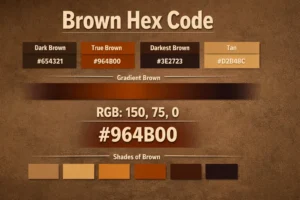
Is brown a shade of orange?
Brown can be considered a darkened or muted form of orange, especially when orange is mixed with black or complementary colors.
Trusted Sources
Learn more about professional color standards from the Pantone Color Institute: https://www.pantone.com/
Understand official web color definitions with the W3C color specifications at https://www.w3.org/TR/css-color-4/
Explore how HTML and CSS handle color codes on MDN Web Docs: https://developer.mozilla.org/en-US/docs/Glossary/html_color_codes
Design custom palettes with the official Adobe Color palette generator: https://color.adobe.com/
You may also like
Latest from the Blog
Tips, guides and tutorials to help you get the most out of our tools